 Osillation
Feature · Tracker Onboarding
Auto-link your trackers by SMS.
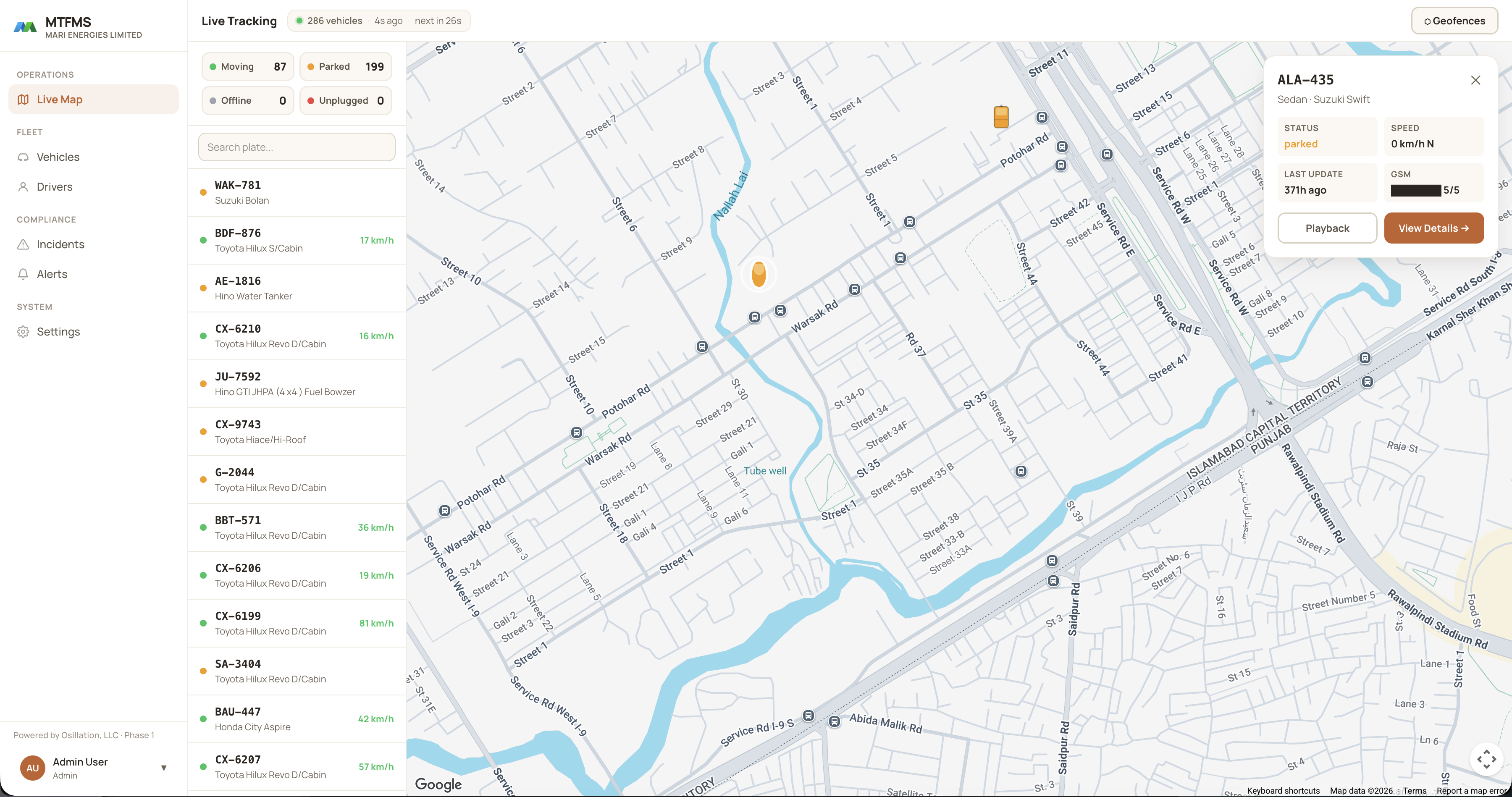
Already have GPS trackers? Send a short set of SMS commands (we give you the exact text to copy and paste) to point each device at MTFMS. Within minutes it reports in and appears on the live map. No new hardware, no SIM swap, no integrator call-out.
How onboarding works
Three steps to a live vehicle.
1 · Set the APN
Send your carrier's mobile-data APN to the tracker so it can reach the internet over its existing SIM.
2 · Point it at MTFMS
Send the server command with the MTFMS host and port. The device starts streaming position and status to the platform.
3 · Set the interval
Choose how often it reports, for example every 10 seconds while moving, and the vehicle appears live on the map.
Copy-paste configuration
Ready-made SMS commands for common trackers.
Send these from any phone to the tracker's SIM number. Replace <APN> with your carrier's APN, and the default device password if yours was changed. On onboarding we hand you the exact, device-specific set for every tracker model in your fleet.
APN,<APN>#SERVER,1,track.osillation.com,5023,0#TIMER,10#GMT,E,5,0#
Default command password is often 0000. Reboot after configuring to apply.
begin123456apn123456 <APN>adminip123456 track.osillation.com 5023GPRS123456fix010s***n123456
123456 is the factory password. Send 'begin' first to initialise.
setparam 2001:<APN>setparam 2004:track.osillation.comsetparam 2005:5027setparam 2006:0
Format is '<login> <password> setparam <id>:<value>'. With no login/password set, keep the two leading spaces.
APN,<APN>#SERVER,1,track.osillation.com,5023,0#TIMER,10#
Default password 0000. Confirm with the device's SMS reply before driving.
Why it matters
No rip-and-replace, no waiting on an installer.
Most fleet platforms either lock you to their own hardware or send an integrator to every depot. MTFMS does neither: it speaks the protocols your trackers already use.
Your team configures devices in the field from a phone, keeps the SIMs you already pay for, and sees vehicles light up on the map as each one reports in. When you'd rather not touch a thing, we run the onboarding for you.
No. MTFMS connects to the trackers you already run. You send a few SMS commands (we provide the exact text) to point each device at the platform over its existing SIM.
Send three commands to the device's SIM: set the mobile-data APN, set the MTFMS server host and port, and set the reporting interval. The tracker then reports in and appears on the live map, usually within a few minutes.
Common protocols including Concox/GT06, Coban TK103, Teltonika FMB and Sinotrack, plus many others. If a device speaks a standard GPS/M2M protocol, we can onboard it, and we confirm your exact models during setup.
Yes. For larger fleets we handle bulk onboarding and hand your team the exact, device-specific command sets so future units can be added from a phone in minutes.
Keep exploring
Related capabilities.
Book a discovery call
Tell us your fleet challenges.
Book a 30-minute session with our founders. Walk us through your current operations, pain points, and goals. We'll come back with a concrete proposal for how we'd solve them.
Book on Google Calendar